Reviewed for Gary Independent School District in Gary, Texas. The dates below come from the district’s published 2026–2027 academic calendar, approved 20 April 2026. They are a checked transcription, not a live notice feed.
Open the approved Gary ISD academic calendar first
Open the district’s 2026–2027 academic calendar PDF
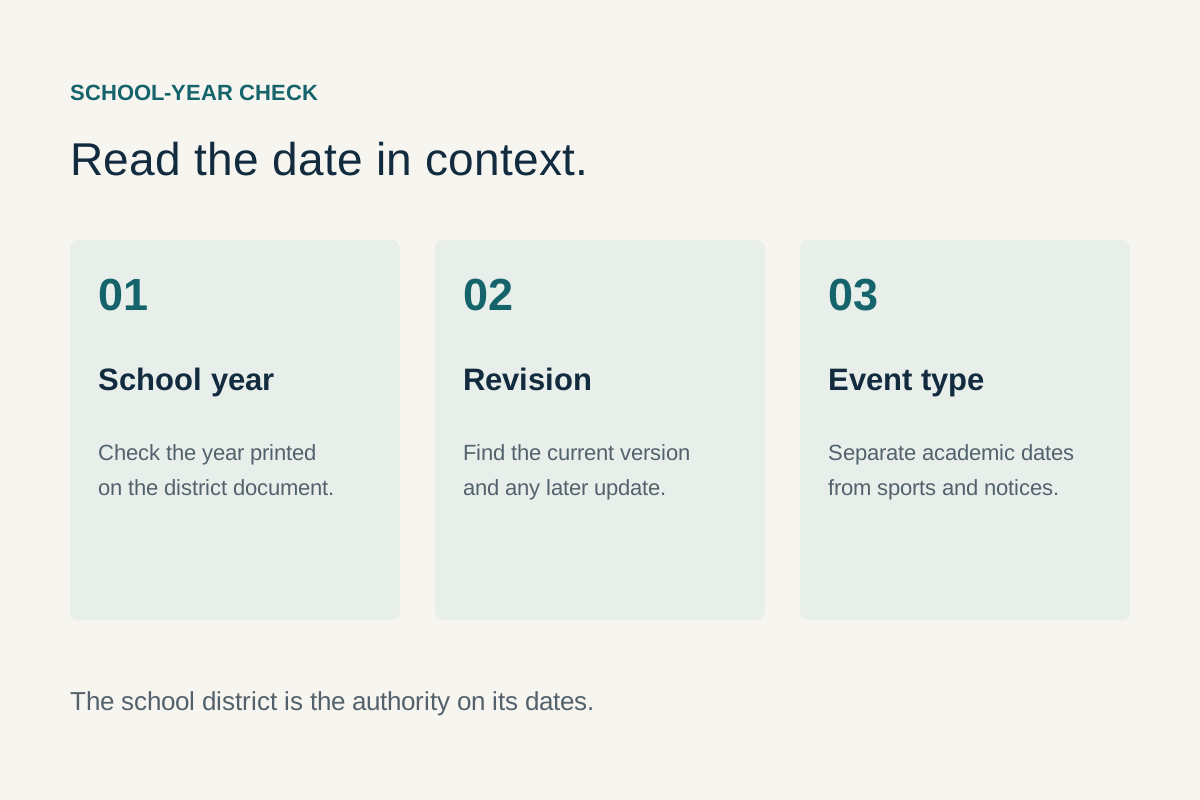
The Gary ISD website links this document under “2026–2027 District Academic Calendar.” Its printed approval is 20 April 2026. The school year, the district’s name and the approval statement are visible on the document itself. A separate revision date is not printed. Keep the district’s current link alongside any saved copy so a later replacement or school notice is easy to find.
For an immediate attendance or pickup decision, read the applicable date and its legend, then check any later district or campus message. The district’s Events page serves a different purpose: it lists dated activities and announcements. Its calendar download is not automatically the approved academic-year document. Neither an event listing nor a blank event view should override the published academic calendar.
| Date or marked dates | Printed category | Planning implication |
|---|---|---|
| 13 August 2026 | Six Weeks Begin | The first green six-weeks marker in this document; confirm student-specific start arrangements with the school. |
| 19–23 October 2026 | Comp Days/No Students | The legend expressly says no students; do not treat these as ordinary class days. |
| 30 October; 16 December 2026; 2 March 2027 | Early Release | Arrange the applicable dismissal and pickup details with the campus; no early-release time is printed. |
| 23–27 November 2026 | Holiday/District Closed | A continuous block of five marked weekdays. |
| 17–18, 21–25 and 28–31 December 2026; 1 and 4 January 2027 | Holiday/District Closed | These are the yellow dates shown across the year boundary; preserve both calendar years. |
| 5 January 2027 | Staff Development/No Students | A staff day follows the January closure markers. |
| 6 January 2027 | Six Weeks Begin | The next green marker follows the staff-development date. |
| 18 May 2027 | Six Weeks End | The final red six-weeks marker shown; the PDF does not separately label graduation. |
| 19 May 2027 | Staff Development/No Students | Distinguish staff work from student attendance. |
| 20 May 2027 | Bad Weather/Make Up Dates | A contingency marker; confirm whether it is activated before deciding attendance or travel. |
The January grid contains a duplicated “22” in an otherwise uncoloured row. We have not silently corrected that source cell or used it to invent an academic event. Ask the district about an ambiguous printed date. All transcribed event categories come from visibly coloured cells; an uncoloured cell is not proof that a particular student has no school-related obligation.
Read the legend as an attendance key, not decoration
Eight categories are printed on the approved PDF. Their wording matters more than the colour you see on a phone, a photocopy or a monochrome printout. When adding a date to your own calendar, include the category in the event title. “October date” carries little practical meaning; “Comp Days/No Students” tells another caregiver what needs arranging.
| Category | Use it for | Do not assume |
|---|---|---|
| Staff Development/No Students | Separating employee work from pupil attendance. | That a working staff day provides ordinary student supervision. |
| Six Weeks Begin | Recognising an academic reporting-cycle boundary. | That every associated activity or individual programme begins that day. |
| Six Weeks End | Noting the end marker shown for a reporting cycle. | That a report card is issued, a grade is finalised or a ceremony occurs immediately. |
| Holiday/District Closed | Identifying the dates actually marked as closures. | That an outside organisation follows the district’s schedule. |
| Comp Days/No Students | Recognising the explicitly stated absence of students. | That the same arrangement applies to a neighbouring district. |
| State Testing | Flagging a period requiring student-specific checking. | That every student tests on every highlighted day. |
| Early Release | Prompting a changed collection or after-school plan. | A dismissal time, bus time or cancellation of an evening activity. |
| Bad Weather/Make Up Dates | Reserving a possible adjustment date. | That the date is definitely a holiday or definitely an attendance day. |
Some school documents combine more than one meaning in a single date. This PDF uses a single visible fill for the early-release cells; we do not add an overlapping six-weeks-end category that the visible cell does not show. Where your child’s deadline depends on that distinction, obtain the campus’s specific instruction rather than treating a transcription as the final decision.
Build a closure plan across both calendar years
The yellow district-closed markers include 7 September 2026; the November and December dates in the table above; 1, 4 and 18 January 2027; 15 February; 3–5, 26 and 29–31 March; 1–2 April; and 24 May. These are descriptions of the marked dates, not new holiday names. A familiar national holiday, a community event and the district’s own closure category are separate pieces of information.
For the December–January transition, record the year on every entry. A note reading “back after the fourth” omits the staff-development day on 5 January and the green marker on 6 January. Keep those different categories visible together. For a family coordinating more than one school, create a separate line for each district rather than copying one child’s calendar into another child’s plan.
The March closures also deserve a deliberate check. There are marked dates early in the month and another block extending into April. Do not substitute a spring-break date obtained from a different district simply because both organisations use the initials GISD. The approved Gary document is the source for Gary’s marked weekdays. The correct district is Gary Independent School District, with its published contact address at 132 Bobcat Trail, Gary, Texas 75643.
A practical closure entry needs an arrangement as well as a date: who is responsible, whether an adult’s work schedule changes, and which outside booking must be checked separately. If another provider offers childcare or an activity, confirm its actual operating days and eligibility directly. A school closure does not establish that a library, camp, workplace or county office is open or closed.
Keep provisional travel separate from confirmed school attendance. Before making an inflexible booking, review the district’s latest academic document and any later notice affecting the dates. If a closure category is unclear, ask one precise question about the relevant day. That produces a more useful answer than asking whether an entire month is “normal.”
Resolve early release before it becomes a pickup problem
The magenta early-release markers are 30 October and 16 December 2026, and 2 March 2027. The document prints a general school-day span of 7:50 AM–3:30 PM at the top, but it does not give a separate early-dismissal time. Do not calculate one by guessing that “early” means half a day or by copying a time from a different campus or year.
Ask the campus for the applicable dismissal time, the relevant entrance or collection arrangement, and whether the ordinary transportation plan changes. If a child uses a school bus, distinguish the campus dismissal from the time the child reaches the stop. Those are different events. Similarly, a work break that allows arrival at school may not cover the subsequent journey home.
For shared collection, send the verified arrangement rather than only a screenshot of the colour. Include the child’s campus, the actual date, the person collecting and any confirmation the school requires. Keep personal authorisation details in the school’s approved channel, not in a public social-media comment or a message to an independent guide.
After-school activities need a separate check. An early dismissal does not itself confirm that a practice, competition, meeting or evening event is cancelled. Look for the relevant organiser’s current announcement. If that announcement gives a location or time different from the academic calendar, identify whether it concerns the same activity before deciding that the two sources conflict.
When a school message changes a collection arrangement, update the entry that other caregivers actually use. Adding a second note while leaving the old time active creates two competing instructions. Preserve the source message for reference, but make the current practical plan unambiguous.
Separate staff days, comp days and student obligations
The purple staff-development/no-students cells shown are 3–7 and 10–12 August 2026, 5 January 2027 and 19 May 2027. The blue comp-days/no-students cells are 19–23 October 2026. Both categories explicitly distinguish students from staff, but they are not the same printed label. Keep the wording when you transcribe them rather than compressing every non-class date into “holiday.”
This distinction is useful for parents and for people considering school employment. A family is asking whether a student attends; an employee may need a separate work calendar, contract or supervisor instruction. The academic sheet is not a complete description of every employee’s work obligations. Use the district’s employment information for the appropriate starting route if that is your task.
An employee workday also does not establish that all offices or services are open to walk-in visitors. If you need to discuss enrolment, a record or a particular programme, contact the relevant office about access. State what you need to complete and the intended date, so a reply can address both the staff schedule and the service you require.
For a student beginning a new programme or moving into the district, ask whether any orientation or registration appointment occurs outside the ordinary class-day pattern. An academic calendar can identify the general year structure without listing every individual meeting.
Use six-weeks markers to organise work without inventing deadlines
The green markers are 13 August, 21 September and 9 November 2026, then 6 January, 16 February and 5 April 2027. Red end markers are visible on 18 September and 6 November 2026, and 12 February, 25 March and 18 May 2027. These are the colours and labels shown; they are not a substitute for a teacher’s assignment dates.
Use the beginning of a cycle to check that your student can access course information, knows how assignments are communicated and understands any individual requirements. That is a planning routine, not a claim that the district requires a particular family checklist. It is especially helpful after a change of class, teacher, schedule or household arrangement.
Before an end marker, identify the actual deadlines communicated for unfinished work, assessments or other course tasks. Do not treat the calendar’s boundary as an automatic extension or a universal cutoff. A teacher may set an earlier task deadline, and a school’s reporting process may continue after the printed end date.
If you need help understanding a grade or an absence, keep the issue specific. Record the course, the relevant assignment or day and the question you want answered. Use the district’s own parent/student systems and staff channels. GaryCity does not hold student records and should not receive login credentials, medical documents or a child’s detailed educational information.
For a student who joins partway through a cycle, ask how existing work and records are handled. The fact that one reporting period has begun does not answer an individual placement or credit question. A named school contact can explain the process that applies to that student.
Understand testing periods at state, district and student levels
The approved district sheet highlights state testing on 1–4 and 8–11 December 2026, and 6–9, 13–16 and 20–23 April 2027. These are district calendar markers. They do not identify which assessment a child takes, which classroom is involved, or the precise personal testing appointment.
The Texas Education Agency’s assessment resources link the state’s testing calendars. Those distinguish programmes and administration windows. A state window can be broader than a campus’s chosen administration day. Read the current state resource if you need the programme framework, then use the school’s own message for the student’s actual arrangement.
When asking about a test, identify the relevant grade or course and the type of information you need. A family may need to know whether an appointment conflicts, how a missed administration is handled, or who can explain an accommodation. Those are different questions. Asking for the correct contact is more useful than treating every orange square as the same event.
Keep assessment results, participation questions and accountability information separate. A calendar says when an administration is planned; it does not explain an individual score or establish when a particular report will be available. Use the responsible school and state channels for those tasks instead of drawing conclusions from the colour-coded academic sheet.
For a child with a documented individual plan, use the established school process to discuss arrangements. This guide does not determine eligibility, accommodation or an alternative assessment. It also does not request supporting documents. Share any necessary personal information only through the school’s approved channels.
Testing can affect a household even when it does not change the general school day. A family may want to keep a morning predictable or avoid scheduling a conflicting appointment. Use the actual student notice for that decision. Do not infer a changed arrival time, transport schedule or campus closure unless the district has stated one.
Treat the makeup date as a contingency
20 May 2027 is coloured for “Bad Weather/Make Up Dates.” That is a planning reservation in the approved calendar, not evidence that bad weather will occur or that the date will definitely be used. Keep it visibly provisional until the district publishes the arrangement that applies.
If weather disrupts school, look for a dated district announcement that identifies the affected day and whether the message concerns closure, delayed opening, early release or another change. A road report, county alert and school notice can all be relevant, but they answer different questions. A countywide weather warning does not itself state a school’s attendance decision.
For route conditions, use the state’s DriveTexas service for the roads it covers and the responsible local agency for other roads. For weather information, use the National Weather Service Shreveport office. Neither is a substitute for the district’s own school-operation announcement.
Once a change is confirmed, update the family’s attendance and collection plan together. Keep the original notice’s date so an older screenshot is not mistaken for the newest instruction. If the message leaves a specific question unanswered, ask the district rather than filling the gap from an unofficial calendar.
Make one usable household plan
A helpful household calendar carries only the detail needed to act. Keep the approved academic source available, but translate the dates into responsibilities: who is collecting, whether an adult’s work schedule changes, and which outside arrangement needs confirmation. This avoids turning a large copied document into a plan that nobody has actually agreed to follow.
| Field | What to record |
|---|---|
| Date and school year | Use the full date, including the year across December and January. |
| District category | Copy the relevant legend label accurately. |
| Student-specific effect | Confirm attendance, testing or pickup implications with the school when needed. |
| Responsible adult | Agree who handles collection or another household arrangement. |
| Source and checked date | Keep the document or later announcement that supports the entry. |
| Unresolved item | Write the exact question still requiring confirmation. |
For more than one household, share the same current practical entry while keeping sensitive records separate. A calendar notification can describe a collection arrangement without publishing medical or educational details. Confirm that everyone responsible has seen a change rather than relying on a shared calendar’s existence as proof of agreement.
For work planning, distinguish a request for leave from an approved arrangement. A school closure is evidence of a childcare issue, not evidence that an employer has approved time off. Similarly, a school’s event invitation does not establish that another adult can collect a child. Resolve each responsibility through the appropriate organisation.
Before reserving travel, review both ends of a break and any adjoining staff or makeup date. Note whether the reservation can change. The purpose is to make the uncertainty visible while it can still influence a decision, rather than discovering after booking that a category was read incorrectly.
Keep enrolment, attendance and calendar questions distinct
The district currently links a 2026–2027 Student Handbook from its own navigation. Use the current handbook and campus staff for attendance procedures, required notices and student-specific questions. A date marked as an ordinary school day does not itself determine whether an individual absence is excused or how missed work is handled.
If a student is enrolling or returning after a move, ask which records and address information the school needs. Do not assume that a Gary postal address establishes an assignment. The guide to address layers explains why postal delivery, municipal geography and school-district geography must be checked separately.
When writing to the school, state the student’s campus through the approved private channel, the date concerned and the action you need explained. Keep an absence notification separate from a request about academic work, transport or an event. They may need different staff or information.
A parent portal is a school account system, not a public calendar source. Follow the link from the district website and use its account-help process if access fails. Do not send a password or recovery code to GaryCity, a social-media commenter or someone offering unofficial calendar assistance.
Read the annual totals without turning them into personal instructions
The PDF includes a reporting table in its lower-right corner. It records six cycles, a total of 163 in the “Mem Days” column, three shortened days with waiver minutes, 74,980 daily minutes and 690 waiver minutes. The printed yearly total is 75,670 minutes. Those are the document’s planning figures, not an individual student’s attendance record or a statement that every employee works the same number of days.
| Cycle | Mem Days, as labelled | Daily minutes | Waiver minutes |
|---|---|---|---|
| 1 | 26 | 11,960 | 0 |
| 2 | 30 | 13,800 | 230 |
| 3 | 23 | 10,580 | 230 |
| 4 | 27 | 12,420 | 0 |
| 5 | 25 | 11,500 | 230 |
| 6 | 32 | 14,720 | 0 |
The general 7:50 AM–3:30 PM span is seven hours and forty minutes, or 460 clock minutes. That is arithmetic applied to the printed times; it is not a claim about how lunch, breaks, instruction or a particular student’s schedule are classified. The yearly line also visibly separates daily minutes from waiver minutes. A reader should not convert a planning total into a new dismissal time or add three invented attendance days because the table contains three shortened-day entries.
For a household, the operational category on the relevant date usually answers the first question more directly than the annual total. If you need an explanation of the accounting itself, ask the district which definition applies. For attendance procedures or an individual record, use the school’s handbook and staff. Keeping those questions separate prevents a numerical total from being mistaken for a decision about a specific child.
Three examples of turning the document into a precise question
A January return-to-school question
A family sees the yellow 4 January cell and wants to know when normal arrangements resume. The next day, 5 January, is purple for staff development/no students; 6 January is green for a six-weeks beginning. A useful enquiry is: “Please confirm the student arrival and transportation arrangements applicable after the January staff day.” That asks for the missing operational detail while retaining the document’s actual labels.
An April appointment question
A student has a possible appointment on 13 April, a day the district colours for state testing. The appropriate next step is to ask which assessment arrangements, if any, affect that student. It would be an error to announce that the whole campus is closed, that everyone takes the same test, or that an absence is automatically permitted. The academic marker flags a question; the student’s school supplies the individual answer.
A late-May travel question
Someone planning travel notices the red 18 May end marker, the purple 19 May staff day and the turquoise 20 May contingency. Those consecutive categories should stay together in the planning record. Ask whether a later decision has activated the makeup date and whether any separately announced student obligation affects the travel plan. Do not invent a graduation date or remove the contingency simply because an end marker appears earlier.
In each example, the useful method is the same: state the exact day, preserve the source category and ask only for the part that the document does not decide. Keep a dated reply with the private family plan. When sharing the result with another caregiver, distinguish the school’s confirmed instruction from the household arrangement you make in response.
Why a state testing window and a district marker can differ
The state assessment calendar lists a November 30–December 11, 2026 window for specified end-of-course assessments. The Gary academic sheet’s orange cells in that period are December 1–4 and 8–11. Those are different levels of scheduling information. The broader state range is not an instruction that every Gary student tests on November 30, and an uncoloured district cell does not explain the arrangement for an individual assessment.
When comparing the two, first identify the programme or course and the year. Then ask the school for the actual administration that applies. Keep an appointment, any makeup arrangement and a results-release question as separate entries. This is particularly useful when a family is comparing a statewide window with a teacher’s message: the message may supply the personal date within a larger period rather than contradict the state document.
If the school sends a later change, use that dated instruction to update the personal plan while retaining the approved academic sheet as the year-level reference. There is no benefit in forcing all sources into one undifferentiated list of “test days.” Their scopes are part of the information needed to interpret them correctly.
Recognise an authoritative update
The 20 April approval identifies this version of the academic document. It is not a statement that the school year can never change. A later district-approved replacement or a specific operational announcement may alter what a family must do. Preserve the old document for context, but do not leave superseded instructions active in the practical calendar.
A useful update identifies the district, the affected date or period, what changed and where the message came from. If one of those elements is missing, verify it before acting. A screenshot forwarded between friends may be genuine but incomplete; returning to the district source can reveal a missing year, campus or follow-up message.
For a broken PDF link, begin again at the district homepage and its academic-calendar menu. Short links and file locations can change while the district’s navigation remains the intended starting point. If the expected document cannot be located, contact the district. A failed download is a technical observation, not proof that a school holiday has been cancelled.
GaryCity’s transcription is useful for reading the plan in text, comparing categories and locating related resources. It does not issue school instructions. You can return to the Texas city guide for broader local tasks or use the resource directory when the question belongs to another organisation.
Gary ISD calendar questions
Which 2026–2027 calendar is this page using?
The one-page Gary ISD School Calendar linked from the district homepage and printed “Approved on 4/20/26.” The direct PDF is linked first. No separate revision date is printed, so later district messages still need checking.
Is the Events page the same as the academic calendar?
No. The event list and its export concern dated activities. The approved academic document provides the year’s category markers. A missing event listing does not cancel a date shown in that document.
What time is early dismissal?
The approved sheet marks early release on three dates but does not print an early-dismissal time. Confirm the relevant campus and collection arrangement rather than applying the general 7:50 AM–3:30 PM header to those days.
Does every orange date mean my child takes a test?
No. Orange identifies the document’s state-testing category. The assessment programme, grade or course and campus arrangements determine an individual student’s actual date. Use the school’s student-specific notice.
Is 20 May 2027 definitely a day off?
No. It is marked as a bad-weather/makeup date. Keep it provisional and follow the district’s later decision about whether and how it is used.
Can a Gary mailing address prove that this calendar applies?
No. Check enrolment and the responsible district using the actual address and student circumstances. A postal name is not a school assignment decision.
Why are some dates described only by the legend?
The document does not name every holiday or ceremony. Retaining its printed category avoids inventing an event, a graduation date or an attendance implication that the source does not explicitly give.
Who should resolve a conflicting date?
Start with Gary ISD and identify the exact date, school year and documents that disagree. GaryCity can point to the sources, but only the responsible school organisation can confirm its current operating instruction.