Official source routes checked . This independent guide covers Gary Independent School District in Gary, Texas, Panola County. Use the district’s own services for enrollment, pupil records, accounts and individual decisions.
Choose the Gary ISD service you need
Start at Gary ISD’s official website. The district publishes 132 Bobcat Trail, Gary, TX 75643 and (903) 685-2291 as its main contact details. For a new-family question, open Student Registration and ask which instructions apply to your situation. For an existing pupil’s account or school-day question, follow the district’s Parent Portal or appropriate campus route.
Official registration information ↗Gary ISD calendar guideFind the official Parent Portal ↗District contact details ↗
These actions lead to different tasks. The calendar helps you interpret the published academic year; it does not enroll a child. A directory entry identifies a district; it does not assign a campus. This page brings the responsible sources together so you can choose the right next step without opening an account or sending family documents to GaryCity.
| Your task | Open first | Information to establish there |
|---|---|---|
| Ask which office can help | Contact Us | The appropriate district or school contact and any arrangement needed before visiting. |
| Start a new-family or transfer enquiry | Student Registration | Your registration category, applicable school year and the office’s current instructions. |
| Find an existing family’s online account | Official home → Parent Portal | The district-published destination and the school’s support route if you cannot use it. |
| Read school-specific information | Elementary or Jr./Sr. High | The correct campus context, notice and school-office follow-up. |
| Check an academic date | GaryCity’s source-linked calendar guide | The approved district PDF, date category and any later applicable school notice. |
| Find board or public-document information | School Board and Required Postings | The actual dated document, its purpose and the responsible district contact. |
| Explore working for the district | Employment Opportunities | The employer’s current opening, applicable application and submission instructions. |
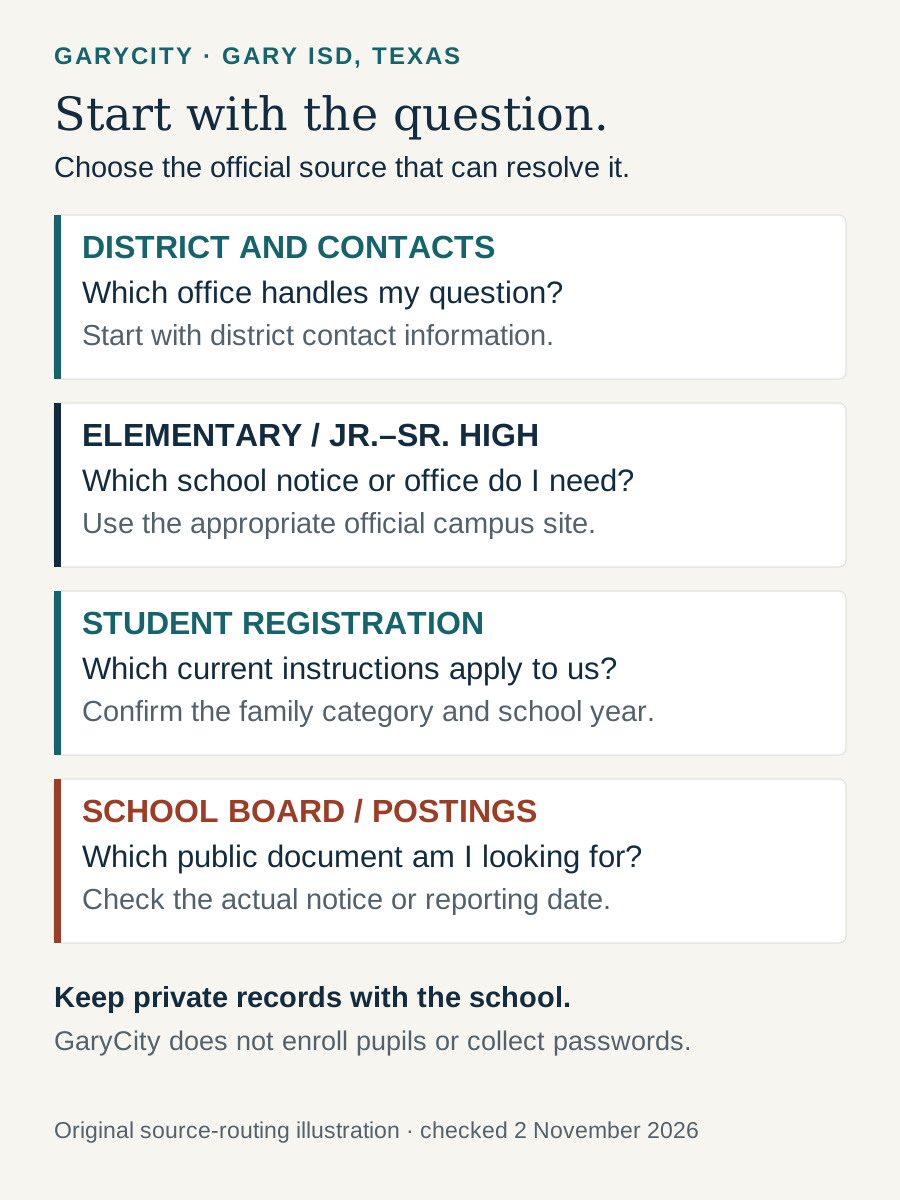
Identify the Texas district before using a result
The full name matters: this guide concerns Gary Independent School District, based in Gary, Texas. Searches for school abbreviations can also return districts in other Texas cities. Check the full district name, place and official domain together before using a registration form, telephone number or account link. An otherwise professional school page can still belong to a different organization.
The National Center for Education Statistics school record connects Gary School with NCES district identifier 4820460 and state district identifier TX-183904. Those identifiers are useful when matching a directory, a published dataset and the local district website. The number shown in the district-published Parent Portal address is 183904; that provides another check on link provenance, rather than a replacement for starting at the official school website.
| Reference | Gary ISD identification | Use |
|---|---|---|
| District website | garyisd.org | Current district-owned information and links to its public services. |
| Published contact address | 132 Bobcat Trail, Gary, TX 75643 | Match the organization when checking a notice or directory entry. |
| NCES district identifier | 4820460 | Locate the corresponding federal district record. |
| State district identifier | TX-183904 | Distinguish the district in the cited NCES record and state context. |
| County in the cited school directory | Panola County | Geographic identification; not a statement that the district and county share boundaries. |
A district’s public address is not an assurance about reception hours, the entrance for an event or a particular pupil’s place of attendance. For an appointment, ask the office where to arrive and what arrangement is needed. Keep the district contact separate from GaryCity’s publisher contact; the independent website cannot confirm a school appointment or handle a family’s administrative case.
Use the district and campus websites for different questions
Gary ISD publishes an Elementary website and a Jr./Sr. High website. These provide school-specific starting points within the official domain. Use the district home for a district-wide service or document, and select the relevant school when the question concerns a notice or arrangement for that school. If you do not know which school is relevant, begin with the published main contact rather than selecting from a directory guess.
A campus website label is not, by itself, a verified division of every grade, a pupil assignment or a list of currently available programs. Those questions need the district’s current answer. Similarly, a staff name on an old flyer may identify who issued that flyer at the time without establishing that the person is the correct contact now. This guide links maintained institutional routes instead of duplicating a staff directory that can become outdated.
It can also look confusing when a federal directory and local school navigation use different structures. NCES’s dated Gary records describe Gary School, while the district offers separately named school web sections. A directory record and a website section are different things to count. Two website destinations do not establish two separate NCES records, and one directory entry does not make one of the district’s official school websites irrelevant.
When asking for help, describe the task first: a registration question, a notice clarification, a school visit or an account problem. Then identify the campus if it is already known. That gives the office enough context to direct the enquiry without turning a general first contact into a long message containing private pupil records. The useful outcome is a named responsible service and its official next step, not merely a longer list of possible contacts.
Check district geography and pupil assignment separately
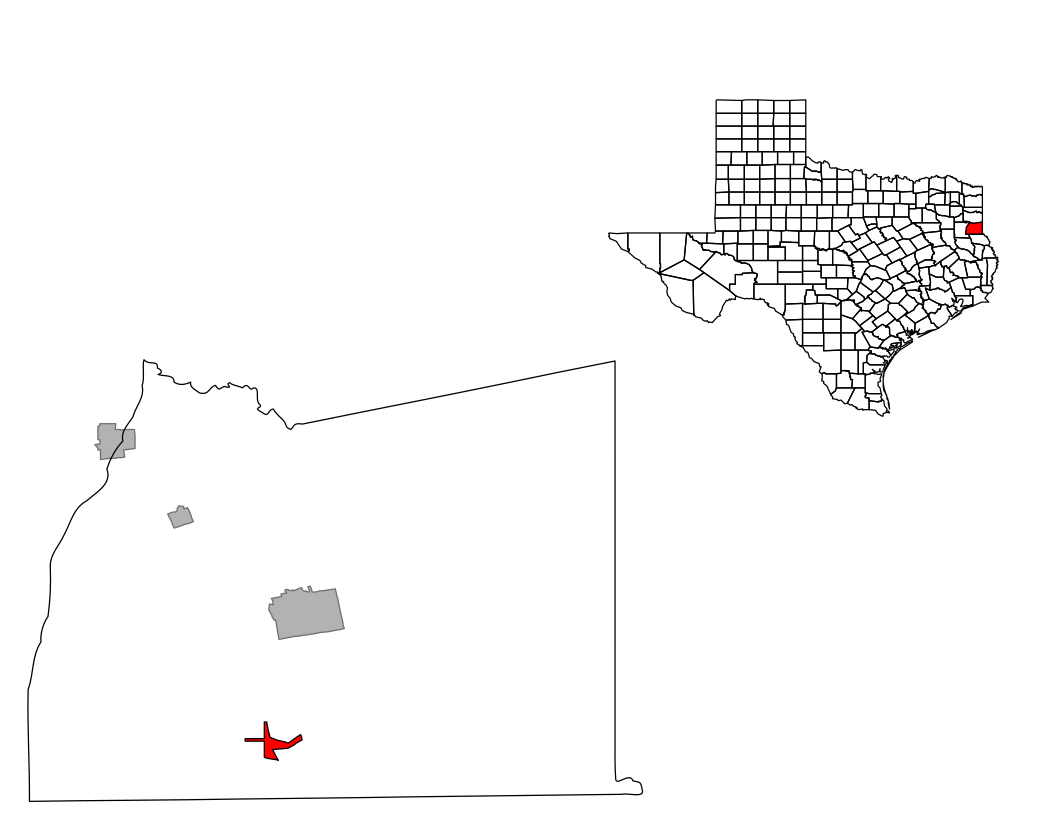
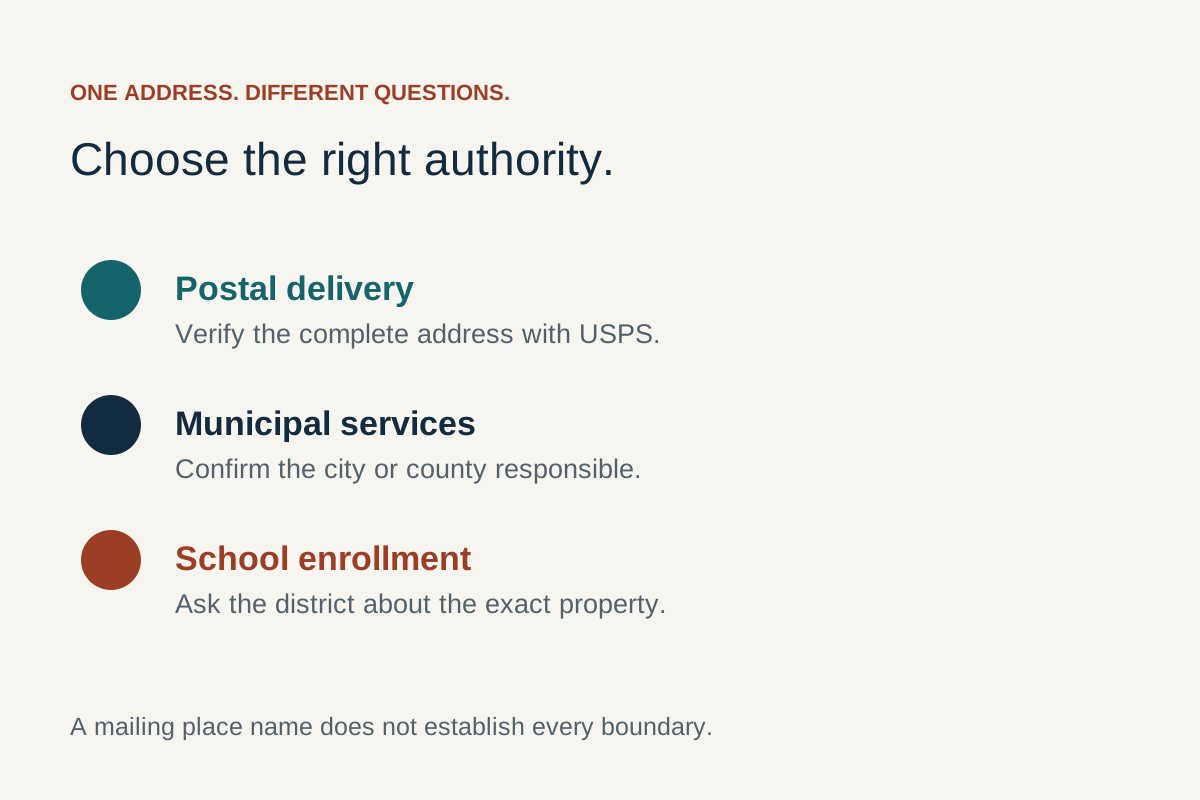
A Gary mailing address, the Gary City municipality, ZIP code 75643, Panola County and Gary ISD identify different kinds of places or administrative areas. A matching place name is a starting clue, not a determination of which school serves a property. Use the Texas Education Agency School District Locator for general district orientation, then ask the responsible district about the exact address and question.
The TEA locator FAQ distinguishes district boundaries from attendance zones and directs campus-assignment questions to local districts. Treat a map as an orientation source with its own stated accuracy and update limits. A small-scale outline cannot settle an uncertain property boundary or describe an individual child’s enrollment circumstances.
For a prospective move, obtain the complete property address before making the school enquiry. Ask which district and campus information applies and which office can explain the relevant enrollment route. Keep that answer with the property information you actually checked. An estate listing, a postal lookup and a school website each have a purpose, but none should be silently substituted for the district’s response.
The Gary address and authority guide provides the fuller practical comparison of postal, municipal and school questions. Here the important school-specific action is to seek confirmation from the district. GaryCity does not provide a parcel-assignment checker or decide whether a transfer or other enrollment arrangement is available to a particular family.
Start a new-family enquiry with the right category and year
The official Student Registration page is the starting point for Gary ISD’s published registration information. In the public material checked for this guide, it directs parents of new students to arrange registration through the school office by telephone. It also distinguishes a transfer request from ordinary new-student paperwork. Ask the office which category fits the enquiry before treating a linked packet as the complete process.
The district’s 4 June 2026 transfer notice specifically points readers seeking 2026–2027 transfer forms to Parents → Student Registration. That is useful evidence for finding the intended route. Its publication does not establish that an application is currently open, that an old deadline still applies or that a transfer will be accepted. The current form and district instructions must answer those questions.
Begin by identifying whether the enquiry concerns a child new to the district, an existing family updating information or a possible transfer. State the intended school year and ask which office or official page handles that category. A returning family should not assume that every new-student instruction applies to an existing account. A transfer enquiry should not assume that completing a general registration form settles the separate request.
Use the district’s current checklist to establish the documents it needs and the method it accepts. This guide deliberately does not turn an extracted checklist into a universal rule about every family’s circumstances. The TEA enrollment overview explains that enrollment is handled locally and provides routes to local support. Where documents, residency or a family’s situation need clarification, ask the school about the applicable process rather than supplying assumptions from another district’s website.
- Choose the category. Give the office the intended school year and the nature of the enquiry.
- Locate the current instructions. Ask for the relevant official page or dated packet and any appointment arrangement.
- Confirm the submission route. Establish how the office wants to receive any required records; GaryCity has no upload or application facility.
- Confirm what remains. Ask which next step or acknowledgment completes that stage, and keep the school’s response for your own records.
A downloaded form, a portal account, an appointment and a district decision are separate stages. Work through the stage the office identifies rather than assuming that finding a PDF completes enrollment. This makes the first conversation more useful while keeping the detailed requirements with the organization responsible for them.
Find the Parent Portal through the district’s own link
The official Gary ISD menu publishes a Parent Portal link whose destination includes district number 183904. Follow that link from the district home when you need the service. GaryCity does not reproduce the login screen, ask for a password or act as an account-support intermediary. The district’s link provenance is established here; signed-in account functions have not been tested with a family’s records.
On a phone, open the district navigation and locate Parent Portal rather than selecting an unrelated portal result from a broad search. Confirm that you followed the Gary district’s current link. If the destination looks different from a saved bookmark, return to the official school website and compare the route before entering account details. A third-party platform can be the district’s chosen service, but that relationship should be established by the school’s published navigation.
The district also publishes a Parent Portal Instructions route in its menu. Use the instructions supplied by the school for account tasks. This guide does not invent a password-reset sequence or promise that a particular button appears for every family. A missing account, a changed contact email and a record that is not visible can need different school support; identify the issue without sending credentials to an independent publication.
If the site will not load, note the page title or error and the route you followed, then use the district contact to ask for the appropriate help. A failed page on one device does not establish that an account is absent or that a pupil’s information has changed. Avoid repeatedly submitting personal details to new destinations while trying to discover the correct service. The first recovery step is restoring the official source chain.
Pick the document that answers the actual question
School websites contain an academic calendar, event listings, individual notices, handbooks, forms and public governance records. These do different jobs even when they are all linked under Parents or Documents. Before reading a long file, identify what kind of answer you need: a date, an instruction, an explanation of a school process or a public record.
The existing Gary ISD calendar guide owns the date-level task on GaryCity. It links the district’s published academic PDF and explains its labels. Use that page for the checked calendar browser rather than looking for a second transcription here. The district’s Events page is a separate source for listed activities; a blank event view does not by itself determine whether school is in session.
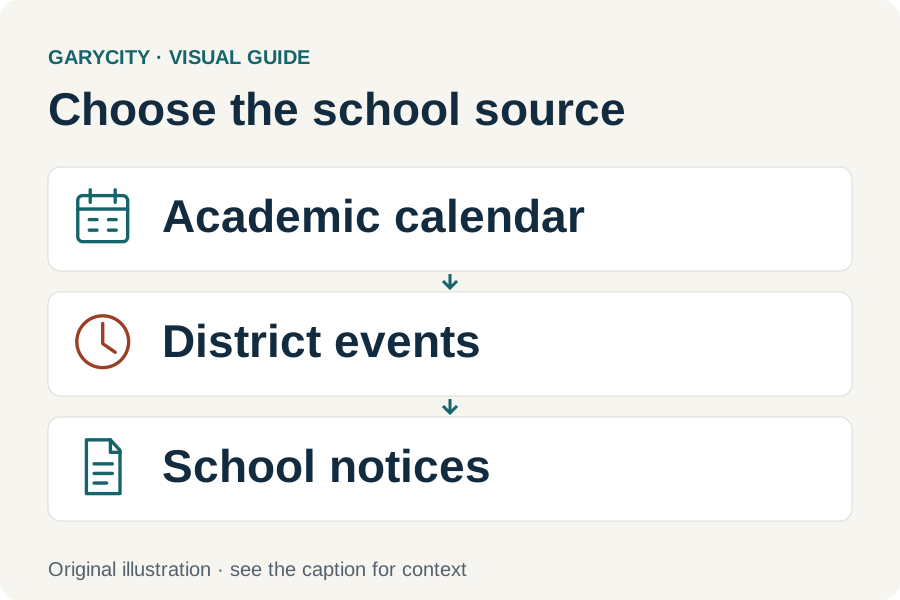
| Document or page | Use it for | Keep with your note |
|---|---|---|
| Academic calendar | The published school-year pattern and its own legend. | The school year, source document and relevant date category. |
| Event listing | A named activity or occasion in the district feed. | The event’s date, organizer context and any applicable update. |
| School notice | A specific instruction or change issued by the school. | The issue date, affected school and exact scope of the message. |
| Student handbook or form | The process described in that version of the document. | The printed year or revision and who should confirm applicability. |
| Board or public-posting record | The business or disclosure identified in the record. | The meeting or reporting period and the actual source link. |
When two sources appear to disagree, preserve their names and dates and ask the responsible school which applies to the situation. Do not change a downloaded file’s year to make it look current. A later upload can be an older document, and a long-standing menu entry can point to a newly replaced file. The document and its context need to be read together.
Check a handbook or form’s version before relying on it
Start with the district’s current menu link, then read the document’s own title page, year and revision information. For a packet, check whether all pages belong to the same version. A filename in a search result can be shortened or inherited from an earlier upload; it is a useful clue, but it is not the final authority for which instructions apply now.
Gary ISD’s public website exposes both dated and long-standing resources. For example, its current menu includes a district academic-calendar label for 2026–2027 alongside a Student Handbook route and other documents with different date references. Do not assign the calendar’s year to the handbook, a health form or a parent-rights document. Each item needs its own version check.
For a practical question, record three things: the exact document title, the year or revision printed on it and the district page that led you there. Then identify the section that relates to the question. This is enough to ask the office whether you have the correct document without forwarding an entire collection of unrelated files. If no usable date is printed, say that rather than substituting the day you downloaded it.
Different kinds of dates can coexist without a contradiction. A board may approve one document on one date; a website may link or upload it on another. A notice can refer to a future school year while remaining visible after the event it announces. Read those dates according to their purpose. The useful question is which document applies to the current task, not which page has the newest-looking timestamp.
Find board information and read the actual record
The official School Board page is the starting point for the district’s published board information. Use its maintained records and contact routes rather than treating an independent directory as the current board office. This guide does not reproduce an officer roster or assume a recurring meeting time; those details can change and should be checked at the source.
Choose the record that fits the question. A document announcing meeting business, a record of an action and a longer policy or report are not interchangeable. Read the actual document title and the relevant dates before describing what happened. A page linking several files is an index into the records, not proof that the first file is the latest or that an item listed for discussion was adopted.
If you are seeking a particular meeting or decision, begin with a subject and a date range. Keep the source URL and the section that appears relevant. Then ask the district which record answers the question if the public index is unclear. That is more precise than asking whether a large undated download is “the board document.” It also helps distinguish a current administrative question from historical research.
For attending a meeting, verify the actual notice and the district’s current arrangements before travelling. A general district address is not automatically the meeting entrance or location. Any participation procedure should come from the responsible district source for that meeting. GaryCity cannot reserve a place, submit a public comment or make a formal records request on your behalf.
Use Required Postings as a subject directory
The district’s Required Postings page groups public information and links. Its introductory text explains that postings can change during the year and that some links may be under development. Treat it as a maintained starting point: identify the subject you need, open the relevant item and check the document itself.
The material exposed on this page includes school-related information across several purposes, such as family resources, health guidance and institutional documents. A listed title does not establish the contents, effective date or applicability of every linked file. Reading the index is different from reviewing the underlying document. This guide therefore provides the source route without presenting an unchecked collection as a complete or current policy library.
For a missing item, retain the subject or title you were trying to find and ask the district for the official route. If a link opens a general homepage or an unexpected year, explain that exact result. Do not assume a broken link means the underlying record does not exist. Equally, a file opening successfully does not prove that it is the current version needed for your purpose.
A useful source note contains the responsible organization, the actual title, the document’s date or period, and the link. Those fields let another reader distinguish a district disclosure from an outside explanation or an older copy. For a decision involving a family, employment or money, seek the responsible office’s explanation rather than deriving an individual answer from a broad posting category.
Read published district numbers with their reporting period
Public school datasets can contain several reporting clocks. The NCES Gary ISD district record and corresponding school directory identify the organization, but their directory information, pupil data and financial data do not all describe the same year. Keep the source’s period beside any figure you use.
The cited NCES material labels directory information for 2025–2026 and student details for 2024–2025. The district record’s financial-data note identifies 2022–2023. These are reporting periods, not three alternative dates for today’s school situation. GaryCity’s 2 November 2026 source check records when the material was consulted; it does not update those datasets to 2026.
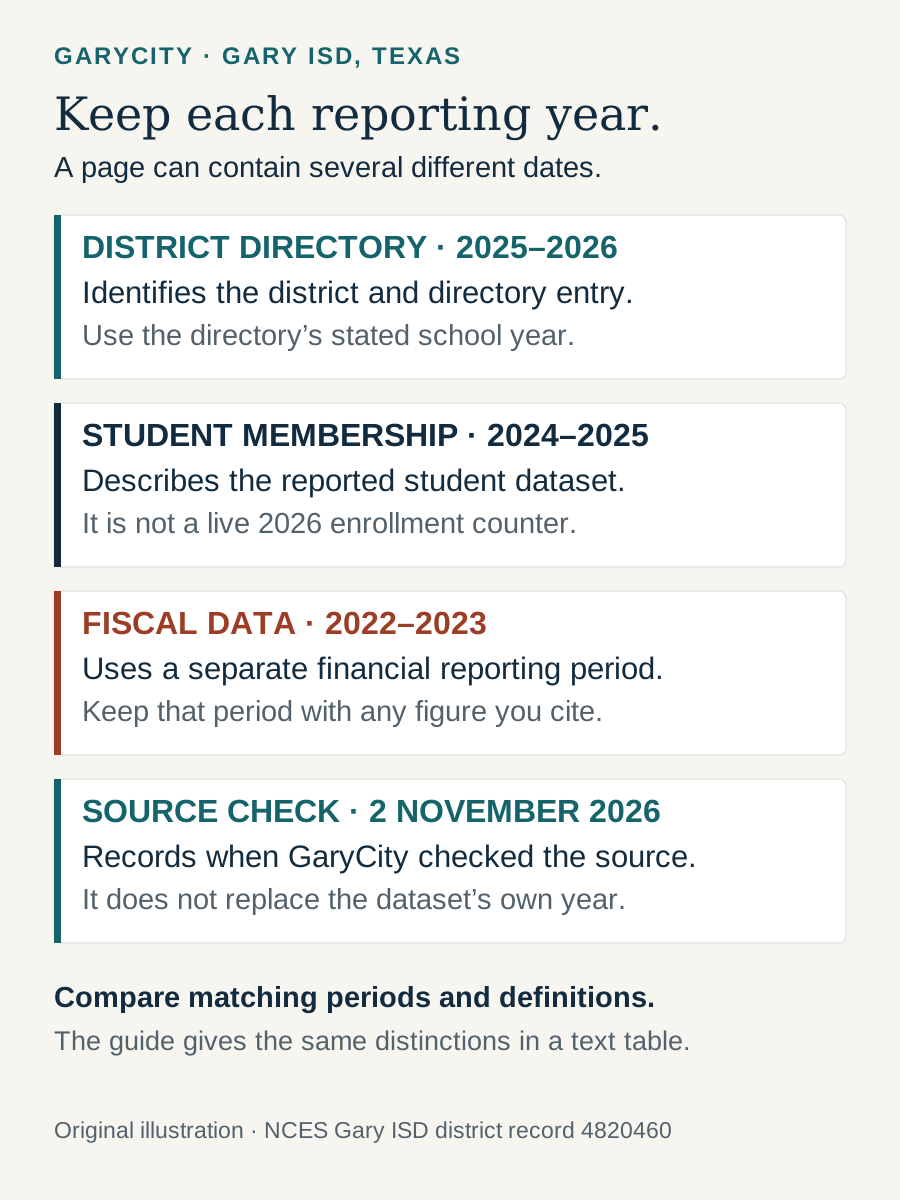
| Date or period | What it describes here | How to use it |
|---|---|---|
| 2025–2026 directory year | The cited NCES directory’s organizational entry. | Label identifiers and directory facts with their stated source context. |
| 2024–2025 student year | The student dataset attached to that directory material. | Use it as a dated report, not a live count of pupils currently enrolled. |
| 2022–2023 fiscal period | The separate financial-data period identified in the district record. | Compare only figures whose definitions and periods have been checked. |
| 2 November 2026 review | When GaryCity checked source routes for this guide. | Describe the review event; preserve the original data years. |
Before comparing districts or years, check the unit being counted and the record’s coverage. A website section, a directory school record and a student-membership figure answer different questions. An apparent difference can come from comparing unlike units rather than from an actual local change. The brief identity facts here help readers find the correct source; this page does not grade Gary ISD, rank it against another district or promise a particular educational outcome.
A concrete example is the cited NCES school entry’s 476 students for 2024–2025. That is a dated reported total, not the number of places available to a new family. The same record describes staffing in full-time-equivalent units and presents a student/teacher ratio. A district-wide or school-wide ratio does not describe the number of pupils in a particular classroom. Keep the reported measure and its year together instead of using a headline number to infer an individual child’s class arrangement, current enrollment or admission outcome.
Route supporting-service questions to the appropriate source
For practical support, the first job is identifying the responsible school route. Gary ISD’s published navigation includes Health Services, parent resources for students in special education and Special Education PCSSA. These are institutional starting points, not individual assessments or a statement about which service a particular child receives.
Use the school’s designated channel to discuss a pupil’s needs and required records. For a general first contact, identify the type of question and ask which office handles it. GaryCity does not interpret a child’s medical or education records, receive a plan, arrange a service or determine eligibility. Keeping these tasks with the school also avoids confusing a general public resource with the process applicable to one family.
| Official route | What the published page offers | How to use that distinction |
|---|---|---|
| Health Services | Campus health contacts and links to health-related information or forms. | Ask the designated school contact which current form or arrangement applies before submitting records. |
| Parent resources for students in special education | A collection of family reading, communication and home-learning resources. | Choose a relevant learning resource; distinguish a public activity suggestion from an individual school-service decision. |
| Special Education PCSSA | Panola County shared-service contact information and family-information routes. | Use the published institutional contact to identify the appropriate next step for a service question. |
For example, a family looking for a home reading activity can use a public resource list without needing the same process as a family asking whom to contact about a school service. A health form also has a different purpose from a learning activity. Keeping those destinations separate makes it easier to ask the right question and to understand what, if anything, must happen after reading a public page.
The district navigation also offers Dining. Use the official Dining page for its published meal information and check the school/date context shown there. A menu is a different source from an account, payment, assistance or dietary-arrangement process. Ask the responsible school contact about those separate tasks; an independent guide should not infer charges or eligibility from the presence of a meal listing.
For transportation, pickup or a change to a child’s daily arrangement, begin with the appropriate school office and its current instructions. This page does not publish pupil stops, named riders or a supposedly complete bus route. The broad district location cannot resolve a family-specific arrangement. Describe the practical question to the school and obtain the applicable official route before treating it as confirmed.
Follow the employer’s own application route
People researching Gary ISD jobs should open Employment Opportunities. The public page checked for this guide links a current-openings route and distinguishes support-personnel and professional-personnel applications. It also labels a payscale resource. Those are useful navigation choices, but they do not establish that a particular post is still open or which terms apply to an applicant.
Read the actual opening and its instructions before choosing an application. Keep the job title, employer, closing information if supplied and submission route together. A general application file is not a promise of a vacancy, an interview or a start date. A payscale document also needs its own date and explanatory terms; it should not be treated as an individual offer.
Submit application material only through the method identified by the employer. GaryCity has no recruitment form and does not receive résumés, certifications or background documents for the district. The employment link is included because it is a distinct district-service task; it is not an independently maintained vacancy feed. This keeps an applicant’s next step tied to the school’s current information.
Three examples of choosing the right next step
A family is considering a property with a Gary address
Begin with the exact property address and the intended school year. Use the TEA locator for general orientation, then ask the district which organization and campus information apply. Once that source is established, use Student Registration to ask about the correct family category and instructions. This produces a district-confirmed route rather than an assignment inferred from ZIP code 75643. It also separates a property enquiry from an enrollment application: discovering the likely district does not complete the application stage.
An existing family finds a date in an old saved file
Identify whether the file is an academic calendar, an event listing or a specific notice. Check its printed year and reopen the district’s current source route. Use the calendar guide for the published date category, then ask the school about any later applicable notice or individual arrangement. The useful result is the correct document and a school-confirmed interpretation for the question. Simply downloading the old file again would not establish that its instructions still apply.
A resident is looking for information about district business
Write the subject and approximate period first. Open School Board or Required Postings according to the kind of record needed. Read the actual file’s title and date, and preserve the source link and relevant section. If the index does not resolve the question, ask the district which record is appropriate. This approach distinguishes a search for public information from a school-day enquiry and avoids treating an undated directory entry as evidence of a particular meeting decision.
These are hypothetical examples of source selection, not findings about a particular pupil, property, account or meeting. Their common outcome is a useful handoff: an identified responsible organization, the correct kind of source and a short, specific question.
Gary ISD questions
Which Gary ISD does this guide cover?
Gary Independent School District in Gary, Texas, Panola County. The official origin is garyisd.org; the cited NCES district identifier is 4820460 and the state identifier is TX-183904.
Does a Gary address prove a pupil attends Gary ISD?
No. Postal, municipal and district geography serve different purposes. Ask the responsible district about the exact address and the applicable enrollment or campus question.
Why are there Elementary and Jr./Sr. High websites?
They are district-published school web sections. Their existence does not by itself resolve grade divisions, pupil assignment or the number of records in a separately dated federal directory.
Where do I begin registration?
Open the official Student Registration page and contact the school about the relevant family category and current instructions. This independent guide does not enroll pupils or receive documents.
Where is the Parent Portal?
Follow Parent Portal from the official district home. The district-published destination includes identifier 183904. Use school-provided help for accounts; GaryCity has no login or reset service.
Where are academic-year dates?
Use the existing Gary ISD calendar guide and its official district PDF link. Events and individual notices provide different information and should be read in their own context.
Are directory figures today’s enrollment?
Use the period printed beside each figure. The cited NCES directory and student sections describe different school years; a later source-check date does not make a historical count current.
Does this page list current job vacancies?
No. It links the employer’s official Employment Opportunities route. Check the actual opening and application instructions there before acting.
Sources and keeping this guide useful
The primary source for operating information is Gary ISD, including its contact, registration, school, board, public-posting, parent-service and employment routes. The NCES district record supplies the dated directory context. TEA’s locator and enrollment overview explain the appropriate local confirmation routes.
Source links and their roles were checked on 2 November 2026. School procedures, links and document versions can change. Return to the district’s maintained page for the current resource, especially at a school-year rollover or after a new notice. If an independent-guide link is broken, use the district home or contact page to recover the route. You can send GaryCity a correction about the public page without including pupil records, passwords or private family documents.